Enter your details
Choose the year and add employee information. Employer details are optional.

Preview free. Use HALLOWEEN50 at checkout and save 50%.
Forms purchased on this site only. Excludes pay stubs and the separate Offer Letter tool. Ends Oct 31, 2026 at 11:59 pm Eastern.
Prepare your withholding certificate with clear questions and a live preview. Add only the adjustments you need, then download your complete packet.
Complete PDF · Preview free
Pay when ready to download
Available years: 2026 and 2025 · Preview before checkout
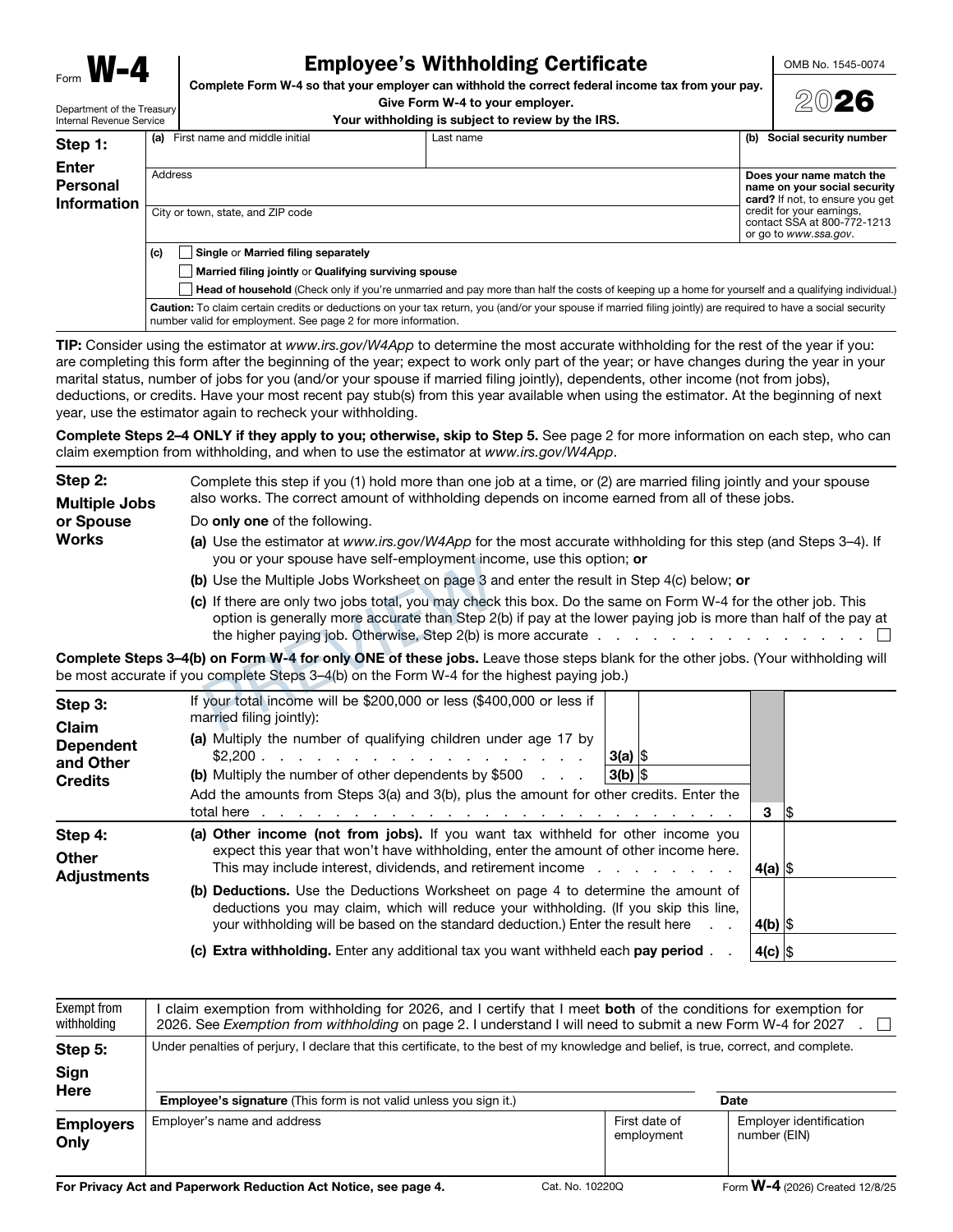
Your information. The original IRS form.
Choose the year and add employee information. Employer details are optional.
Open the jobs, dependents or deductions sections when needed. Review your certificate as it updates.
Draw and apply your signature, or print and sign later. Complete checkout and download your PDF.
Your filled certificate and all official instructions and worksheet pages for the selected year. Completed helpers fill the applicable worksheets.
Our W-4 preparation guide explains withholding choices and employer delivery. The W-4 and W-2 comparison explains how the certificate differs from an annual wage statement.
Signature and signing date stay blank unless you explicitly draw, confirm and apply them. This service does not submit the W-4 to your employer or a tax agency.
2026 is selected by default for current-year withholding. The 2025 form is also available. Each year uses its own original template and worksheet rules.
No. Jobs, dependents and adjustments only apply in certain situations. Employer details can be left for your employer. Eligible exemption claims follow their own instructions.
Yes. Enter reviewed credit totals, deductions worksheet results and extra withholding directly. You can also use the guided helpers for supported situations. For complex circumstances, use the IRS Tax Withholding Estimator or qualified assistance.
The original form predates later 2025 tax-law guidance. Our helper uses the updated $2,200 amount per eligible child and explains the difference. The updated deductions helper uses the IRS’s September 2025 supplemental worksheet. Read the IRS update ↗.
Yes. Select Draw my signature, draw with a mouse, finger or stylus, choose the signing date and confirm before applying. Print and sign later remains the default. Any change to certificate details requires applying the signature again.
$9.99 USD covers one W-4 with the complete selected-year packet. Checkout supports coupon codes, Save for later and private access links. Payment uses PayPal. Completed-order emails include a private access link.
One certificate. $9.99 USD.