Confirm eligibility
Select the employee category and check its requirements before entering eligible expenses.

Preview free. Use HALLOWEEN50 at checkout and save 50%.
Forms purchased on this site only. Excludes pay stubs and the separate Offer Letter tool. Ends Oct 31, 2026 at 11:59 pm Eastern.
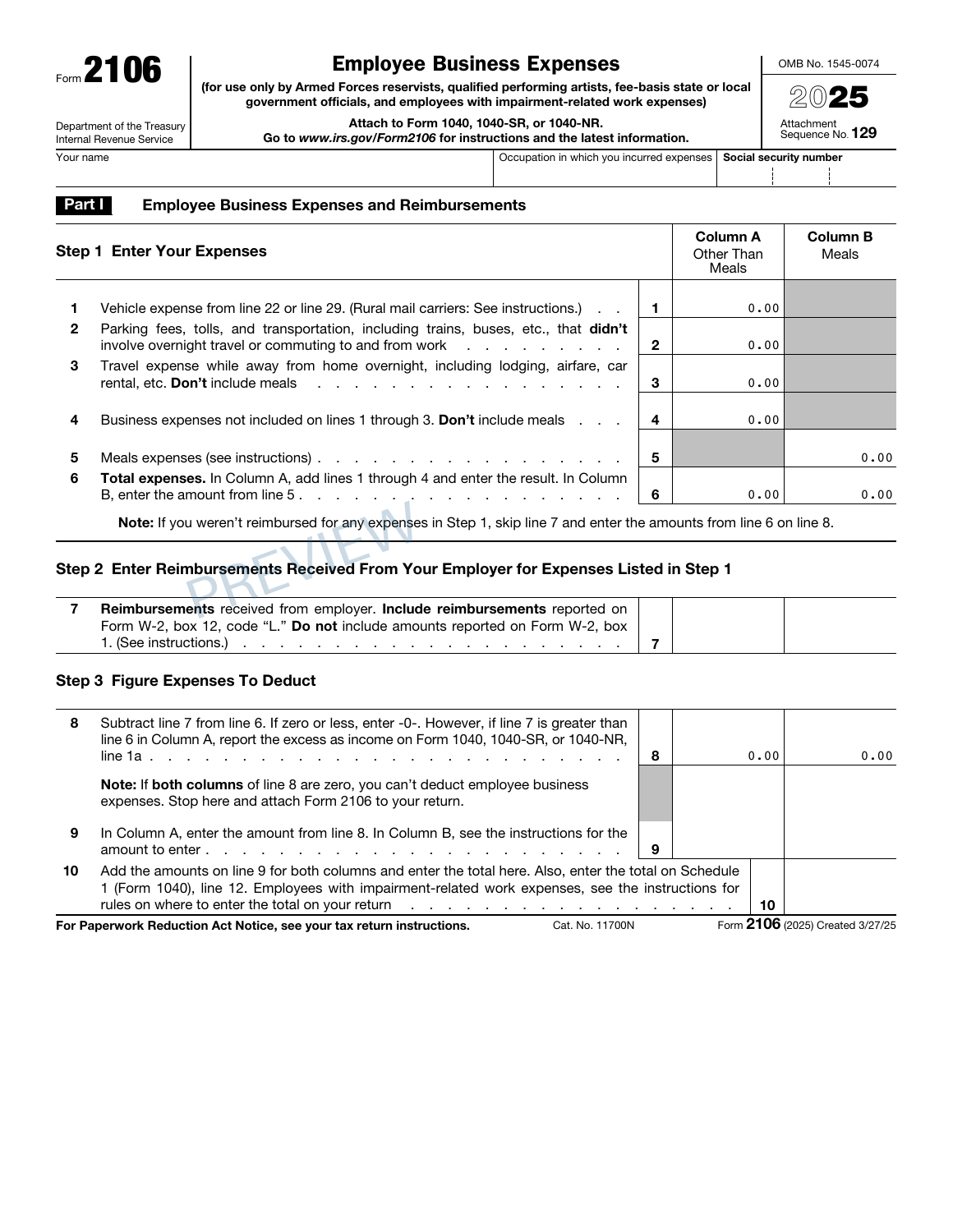
Bring eligible work expenses and reimbursements together. Calculate mileage and expense totals, review both original pages and prepare your attachment for your tax return.
Complete PDF · Preview free
Pay when ready to download
Final 2025 IRS original · For the eligible employee categories listed on the form.
Select the employee category and check its requirements before entering eligible expenses.
Keep meals separate. Include vehicle details only when needed, using one eligible method for each vehicle.
Check both complete pages and download after checkout. Attach the form to your separately prepared tax return.
Prepare the original expense and reimbursement page, plus vehicle details when applicable. All original page dimensions and white margins are preserved.
Our Form 2106 preparation guide explains the eligibility, expense and reimbursement records to review before preparing the form.
Ordinary unreimbursed W-2 employee expenses alone do not qualify. This form is limited to eligible Armed Forces reservists, qualified performing artists, fee-basis state/local officials and employees with impairment-related work expenses. The main tax return, supporting records and IRS filing are separate.
No. Form 2106 is limited to the employee categories printed on the original. Your occupation alone does not establish eligibility; each category has specific requirements and limits.
The final 2025 original is available. The 2026 edition will be added when a final IRS original is available.
The 2025 form uses 70¢ per eligible business mile. Commuting is excluded. Verify that you may use the standard method, including first-year method and leased-vehicle requirements.
Choose one eligible method per vehicle. The original supports two vehicles, so different eligible methods can be used for different vehicles. The builder keeps the amounts in their corresponding original columns.
No. Supply the eligible method, percentage, basis, elections and vehicle limit from your records and the IRS instructions. The builder calculates the entered formula and applies the passenger-auto and remaining-basis limits; it does not choose tax elections from cost alone.
Meals are kept in Column B. Applicable reimbursements are deducted first, then the general 50% limit is applied to the remaining eligible meal expense. Nondeductible entertainment is excluded.
Net expenses cannot fall below zero. Excess Column A reimbursement is shown as income to report separately. If both Line 8 columns are zero, the form stops there and leaves Lines 9 and 10 blank.
There is no separate signature line on Form 2106. Attach it to the main tax return and follow that return’s signing and filing instructions.
$9.99 USD covers one complete two-page Form 2106 PDF, with private access after checkout. The main return and IRS filing are not included.
One Form 2106. $9.99 USD.